PRODUCT + UX DESIGN

Cartlyst

A smart grocery cart interface designed to help shoppers understand what they are buying, track spending, catch safety concerns and move through checkout with less mental effort.

Product Design UX Research IoT Tablet Interaction Design Figma Prototype
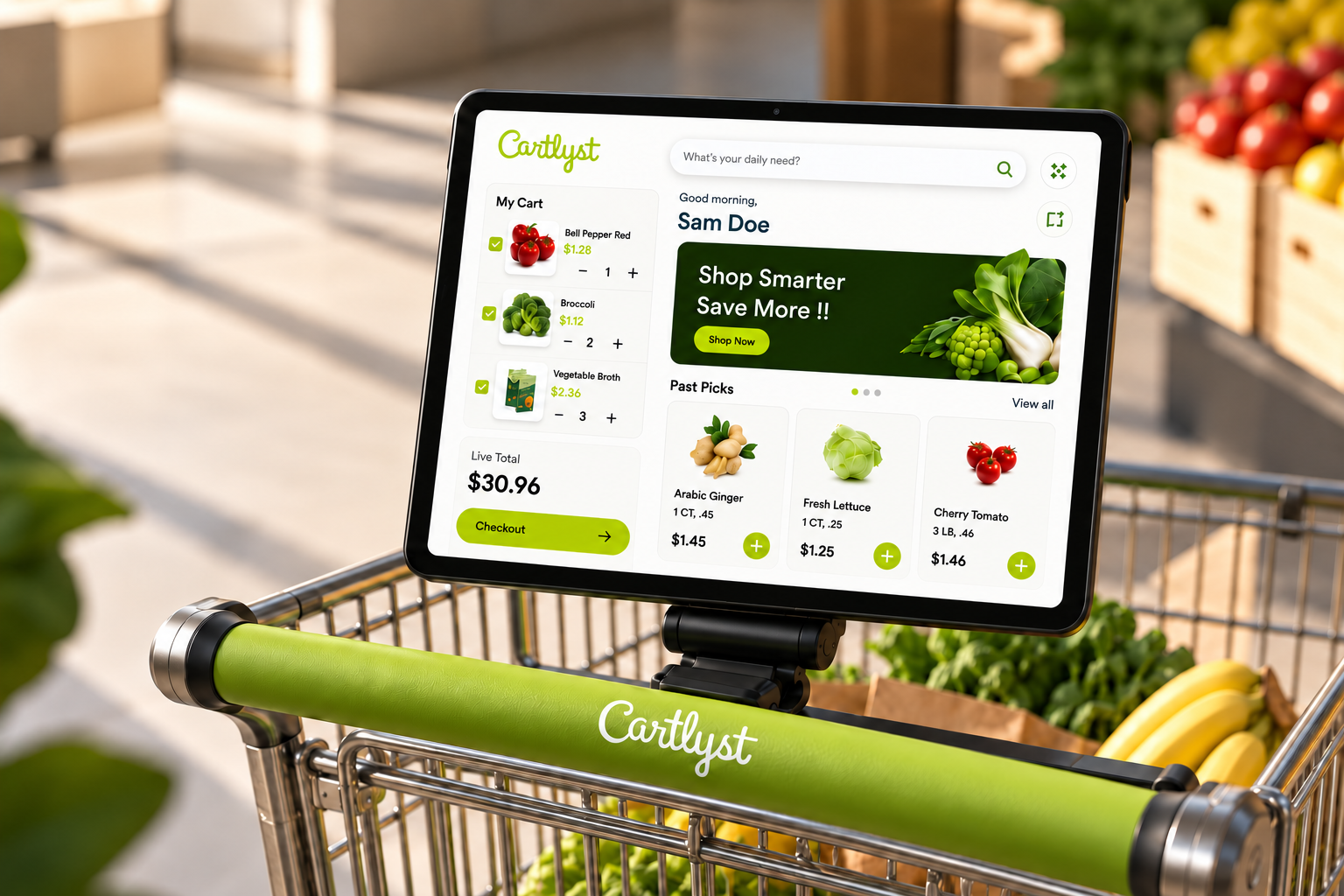
Cartlyst smart grocery cart interface
PRODUCT Smart grocery cart with a mounted tablet interface
MY ROLE Product, UX and complete interface design
RESEARCH Surveys, interviews, personas and journey mapping
FOCUS Safety, budget, product information and checkout
◇
TEAM PROJECT / MY OWNERSHIP

The product idea and research process were collaborative, and interviews were conducted as a team. I designed the complete Cartlyst interface and interaction system. I developed the visual direction, information hierarchy, live cart, product detail states, allergen warnings, budget alerts and checkout experience in Figma.

Shoppers did not need more data. They needed useful data at the right moment.

Contextual surveys, interviews, personas, journey mapping and usability testing helped identify where grocery shopping becomes repetitive, tiring or uncertain.

Contextual surveys Interviews Personas Journey mapping Usability testing
PARTICIPATION 83

Survey participants helped validate recurring grocery-shopping pain points.

LABEL FATIGUE 86%

Found reading and comparing labels exhausting while shopping.

REBUYING 76%

Reported accidentally buying products they already had at home.

✦
RESEARCH SYNTHESIS

Cartlyst should surface information when the shopper needs to make a decision, then get out of the way.

Shopping pain points became direct product features.

01

Simple Onboarding

Quick setup for dietary preferences and budget before the trip starts.

02

Live Cart Total

Real-time running total including quantity, tax and weight-based pricing.

03

Item Description

Ingredients, warnings and product details appear after scanning.

04

Past Picks

Helps shoppers recognize frequently bought items and reduce accidental rebuying.

05

Budget Alerts

Users receive feedback as spending approaches or crosses their set limit.

06

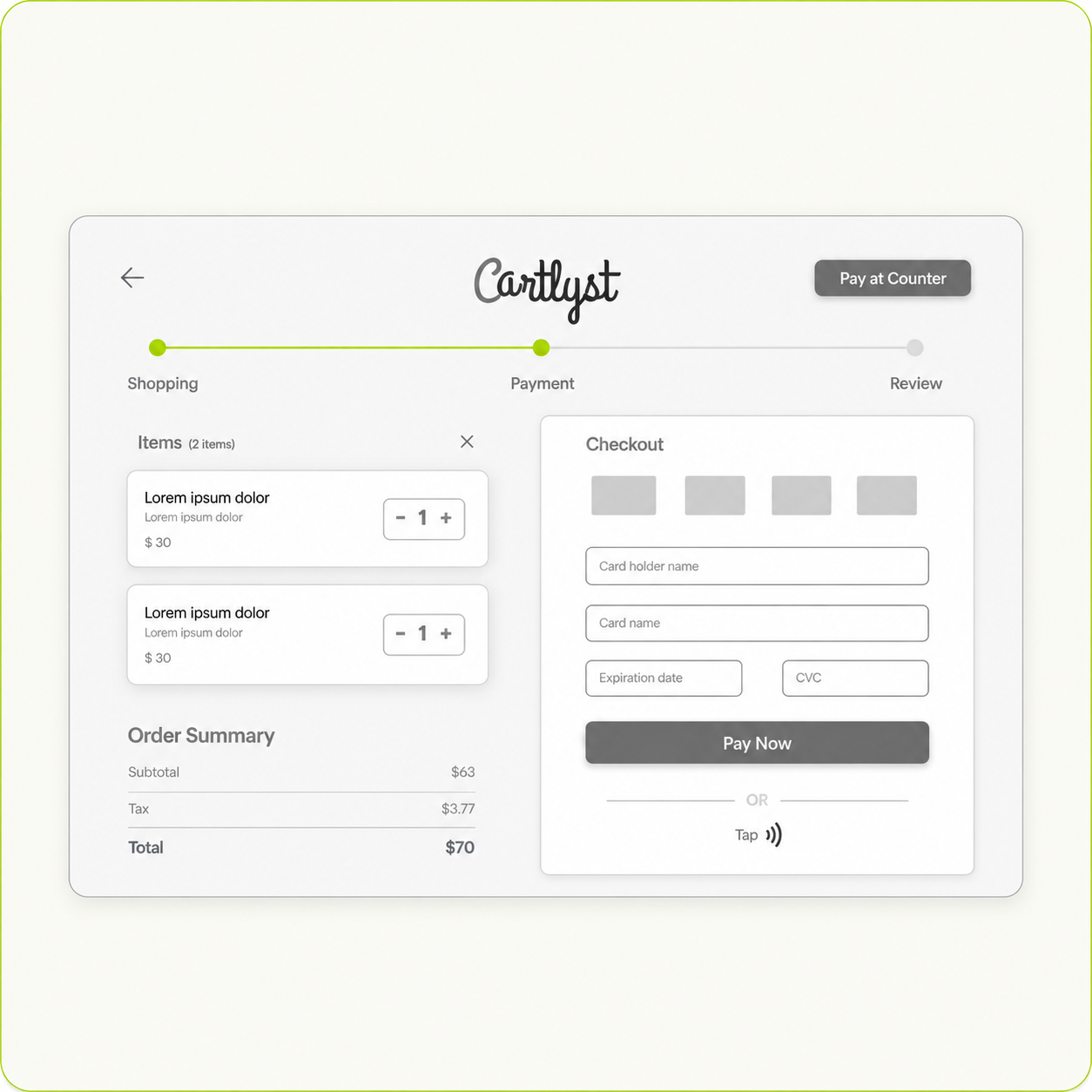
Self Checkout

Secure payment directly from the tablet reduces checkout waiting time.

One shopping trip. Different moments of friction.

Click through the journey to see where Cartlyst adds useful support.

BEFORE SHOPPING

Start with context, not setup fatigue.

The shopper adds dietary preferences and an optional budget so Cartlyst can provide useful feedback later.

The small interactions that make Cartlyst useful in-store.

⟲

Past Picks

Helps users avoid rebuying the same products by mistake.

!

Safety Flags

Ingredient and allergen alerts appear before the item reaches checkout.

$

Budget Guard

Shows when users are approaching or crossing their set budget.

↗

Exit Kiosk Check

Helps catch unpaid items before users leave the store.

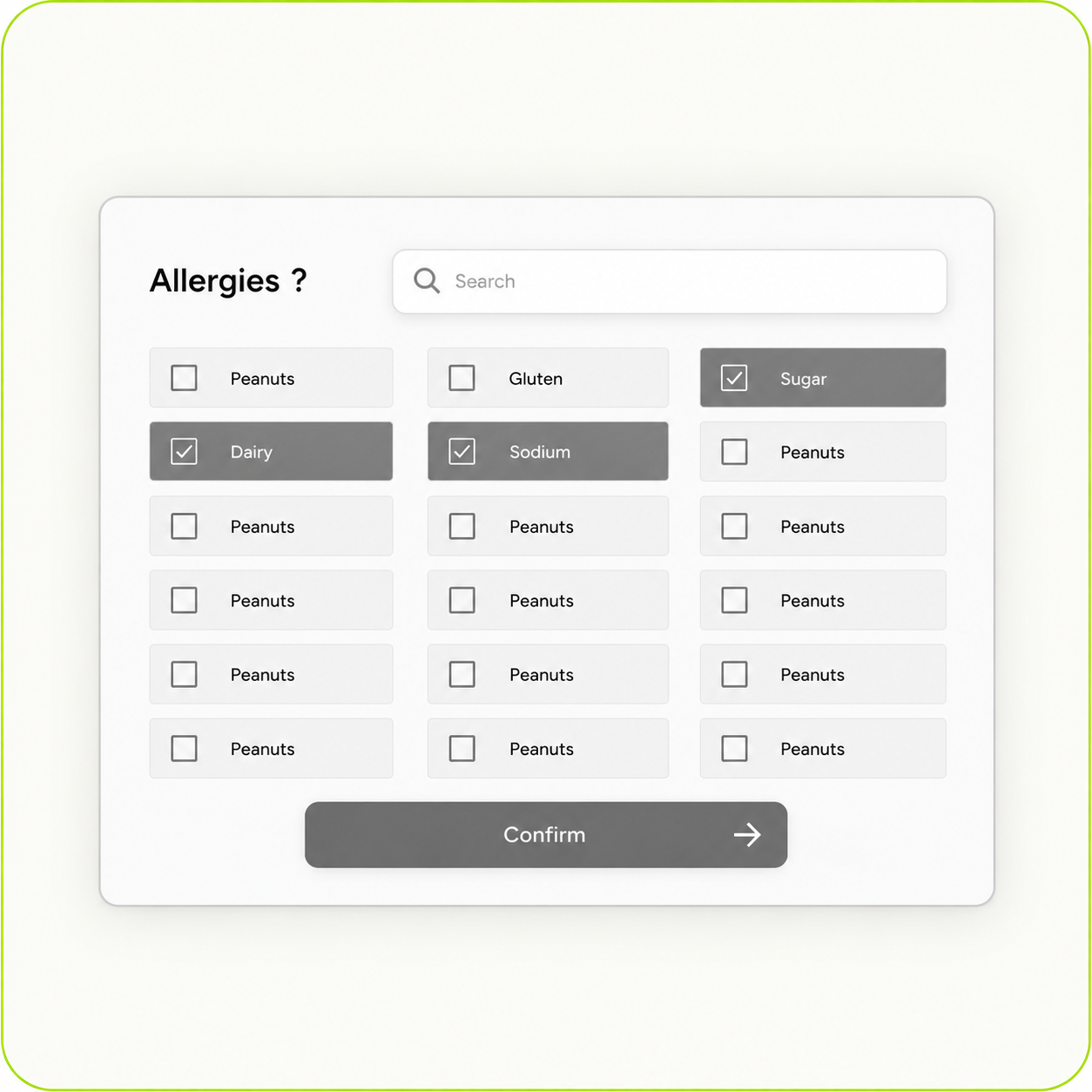
Safety information appears when it actually matters.

Select dietary concerns, then scan the sample product to see how Cartlyst responds.

MY DIETARY PROFILE

Select preferences

✓
PRODUCT SAFETY

Ready to scan.

Cartlyst can compare the scanned product against the shopper’s saved dietary preferences.

Spending should not become a surprise at checkout.

INTERACTIVE BUDGET CHECK

Move the cart total and see when Cartlyst steps in.

$74 of a $100 budget
You still have $26 remaining.

I worked through the shopping logic before polishing the UI.

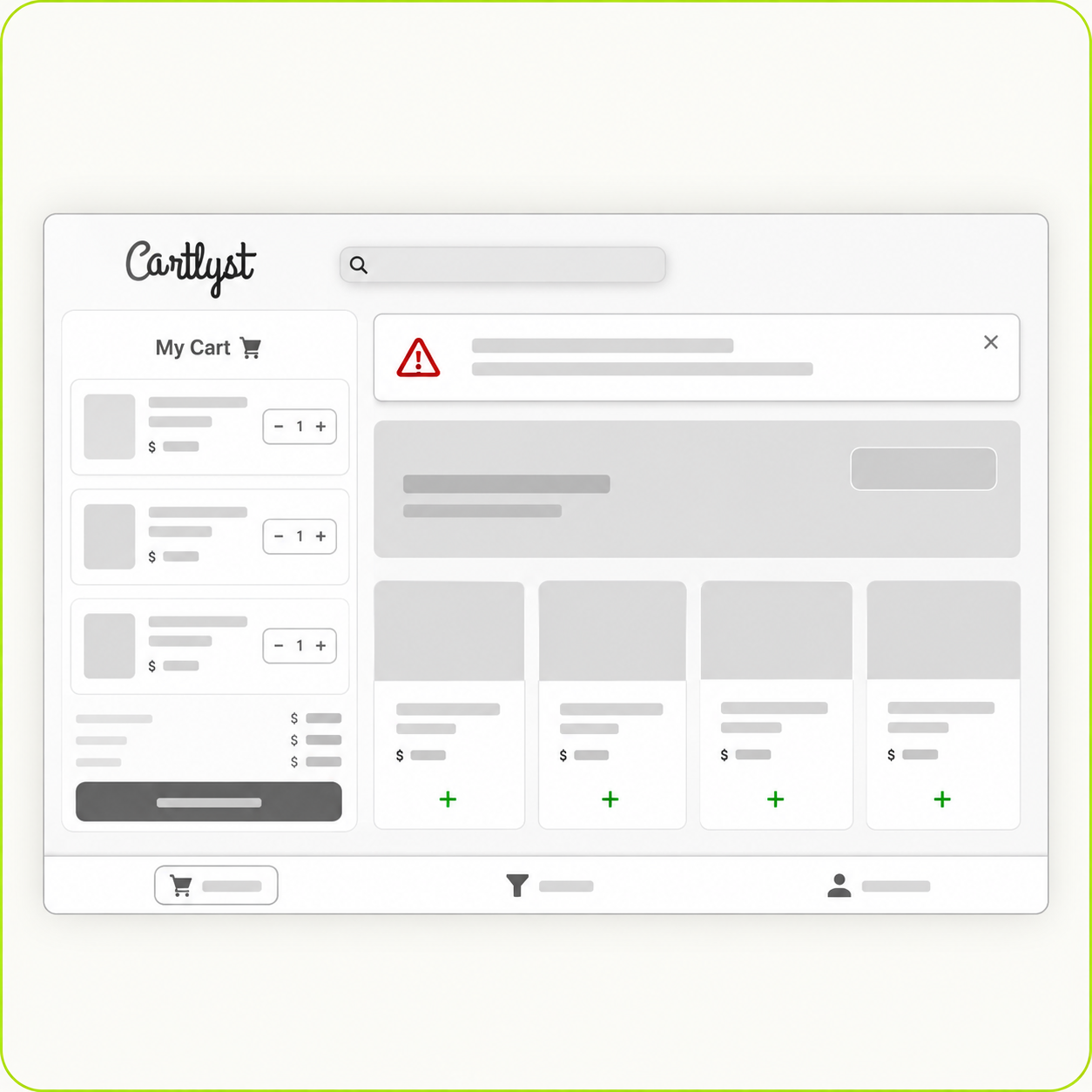
Early wireframes helped define the hierarchy between scanning, product information, the live cart and checkout.

Cartlyst Wireframes / exploration board
click frames to explore
Cartlyst wireframe home
01 Home + list
Cartlyst wireframe scan
02 Scan + product state
Cartlyst wireframe checkout
03 Cart + checkout
keep the total visible without taking over
warnings belong near the decision

One connected prototype. From scanning to checkout.

I designed and connected the full interface in Figma, including onboarding, scanning, live spending, allergen warnings and checkout.

Cartlyst · Interactive Prototype FIGMA

See how Cartlyst works in the shopping flow.

This video shows how users can scan items, track their budget, get alerts, and move through checkout.

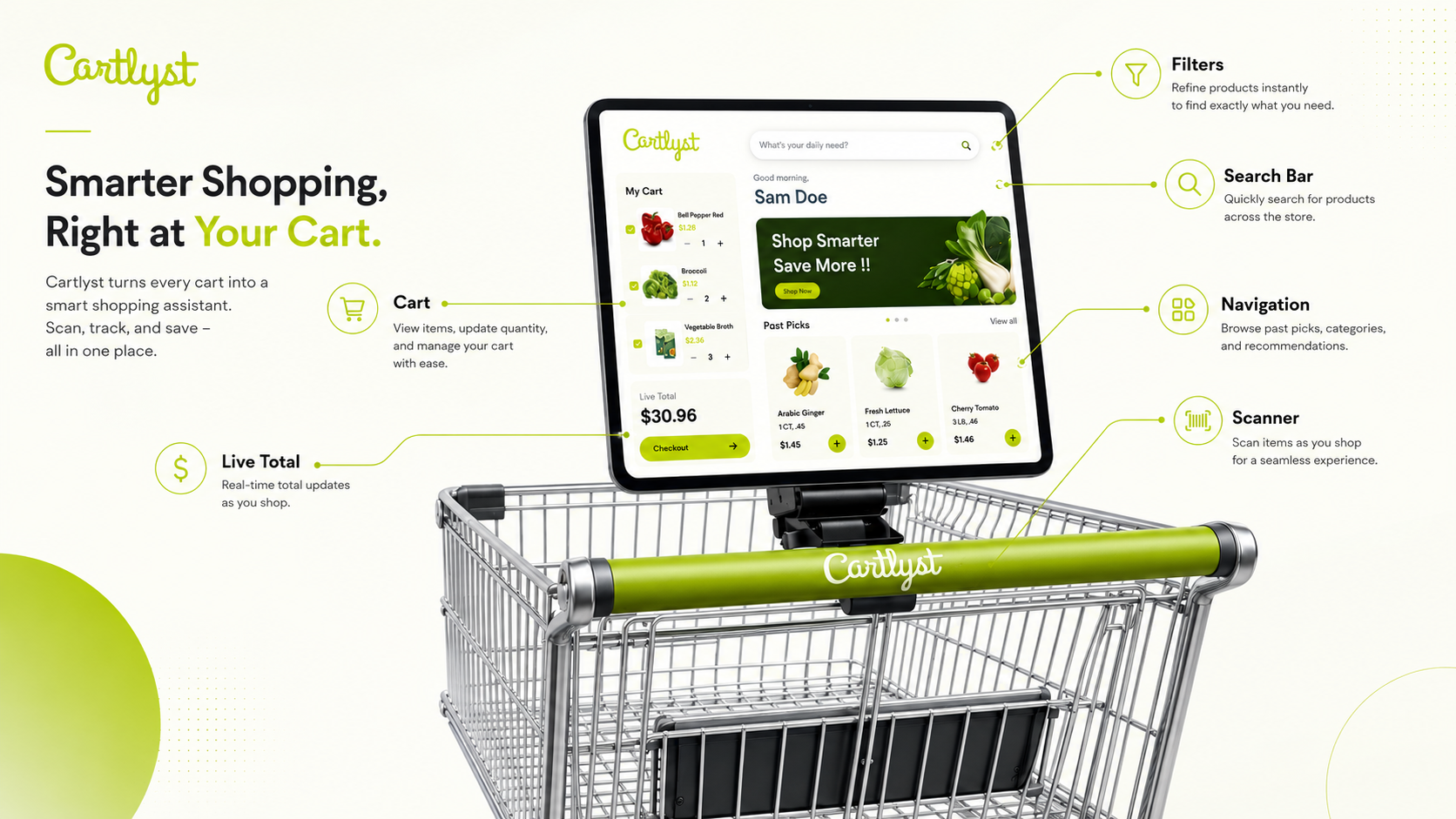
A smart grocery tablet interface designed for clarity, safety and control.

The final UI focuses on clean navigation, visible totals, high-contrast warnings and simple checkout.

Final Cartlyst interface
01 Visible cart total
02 High-contrast safety alerts
03 Clear product information
04 Connected checkout
FINAL TAKEAWAY

A smart cart should remove mental work, not create more of it.

Cartlyst became strongest when the interface stopped trying to show everything and instead focused on timing: safety information during scanning, budget feedback while shopping, clear product details during decisions, and a connected checkout when the trip is complete.

NEXT PROJECT

Kangaro

→